Have you ever experienced the absolute dread of needing to restore an important file, only to discover your backup software quietly gave up the ghost three months ago?
Most of us try to prevent this by turning on notifications. You set up your backup jobs, configure the alerts, and for the first week, you diligently check every single "Backup Completed Successfully" ping that hits your phone, Slack, or inbox. But by week three? Those constant updates become pure white noise. Suddenly, you're suffering from notification fatigue. You've trained yourself to ignore the noise, making it incredibly easy to completely miss the one critical "Failure" alert hidden in a sea of routine green checkmarks.
This creates a terrifying scenario, Schrödinger’s Backup. Until you actually go looking for your data, your backup is simultaneously successful and completely corrupted.
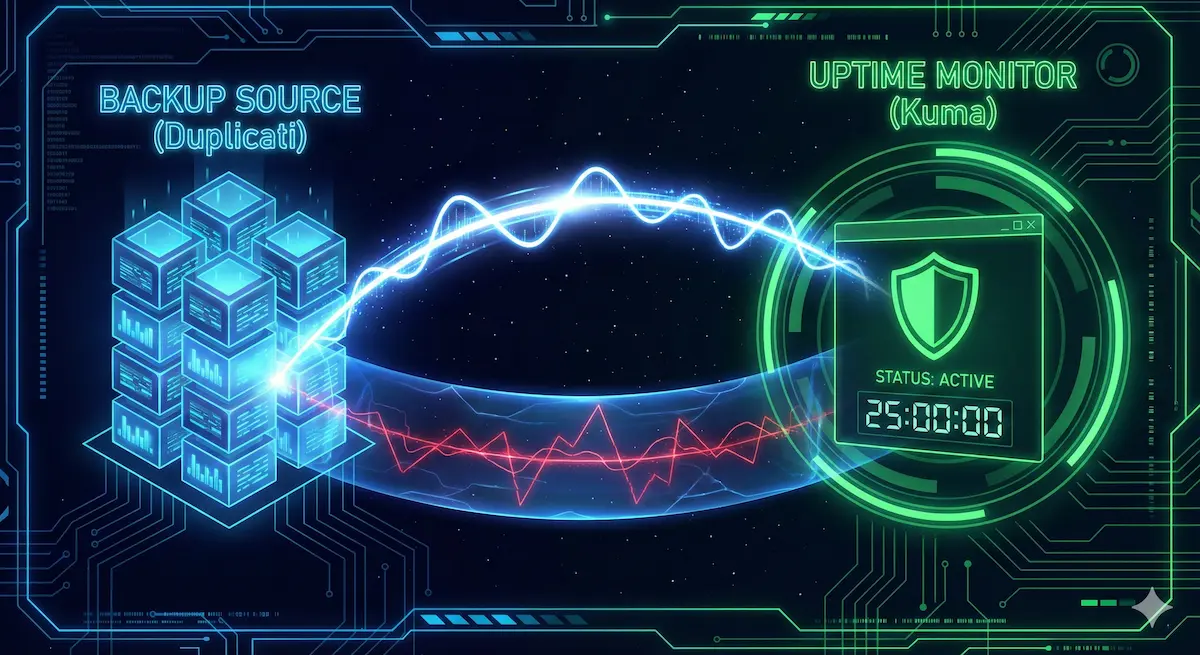
Flipping the Script: The Dead Man's Switch
Instead of the white noise of notifications, we can implement a Dead Man's Switch. Think of it like the safety lever on a train: as long as the conductor is actively holding it down (your backup runs successfully), the train keeps moving. If they let go or fall asleep (your backup fails, stalls, or crashes), the alarms immediately sound. Instead of asking, "Did the backup fail?" a Dead Man's Switch monitor sits quietly and asks, "Did the backup check in on time today?" We can eliminate silent failures by integrating Duplicati's http send with an Uptime Kuma push monitor that keeps your channels quiet and only bothers you when something is actually wrong.
The Uptime Kuma Push Monitor
Most monitoring tools work by constantly knocking on your server's front door, asking, "Are you there?" A backup process though isn't always listening, so this model doesn't quite work. Uptime Kuma solves this with Push Monitors. Instead of Kuma reaching out to Duplicati, Duplicati reaches out to Kuma. It does this using a simple GET request: https://uptimekuma.domain.com/api/push/<monitor_id>?status=up&msg=OK&ping=
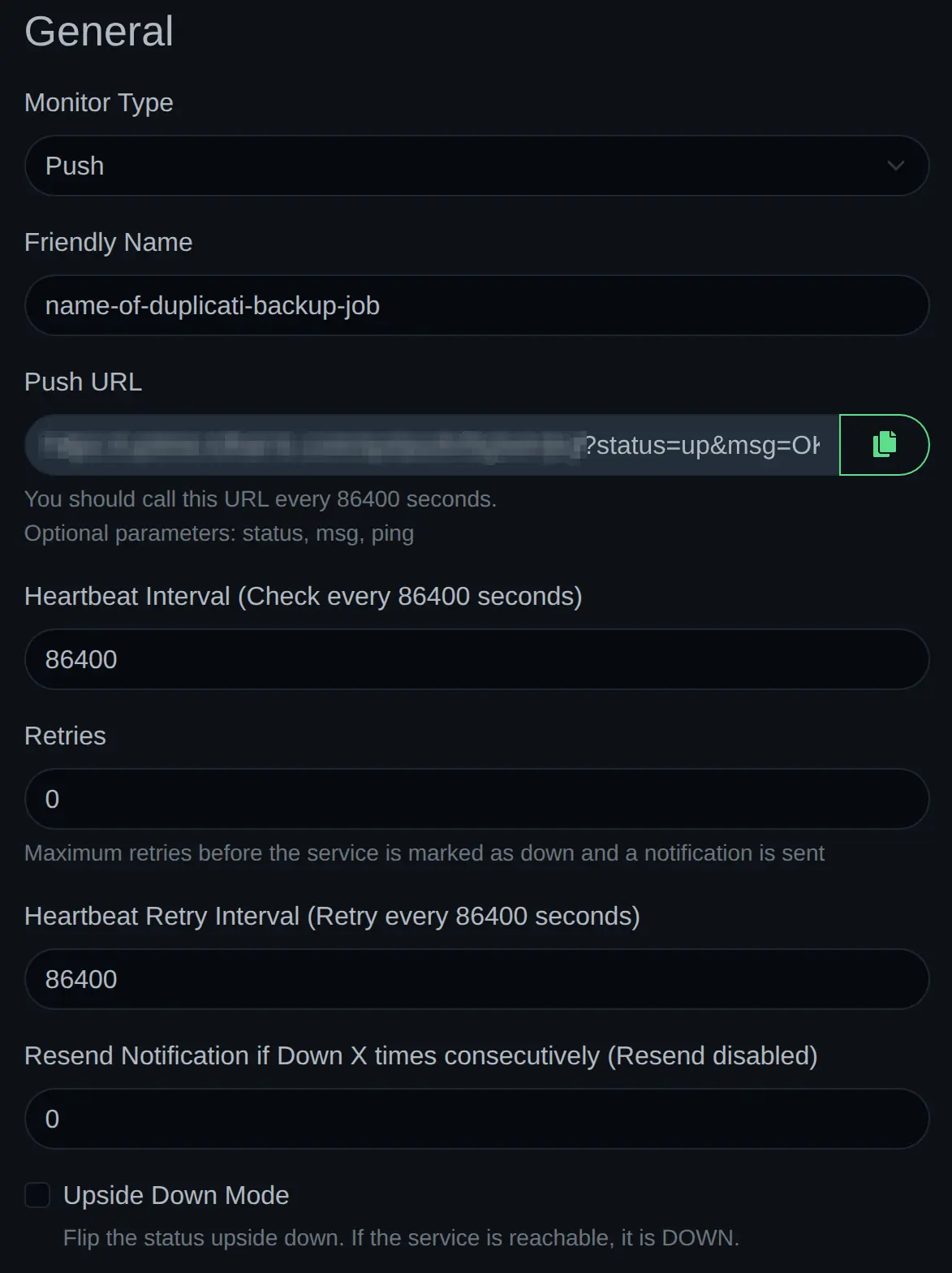
- Setting the Monitor Friendly Name the same as the backup job name in Duplicati is convenient for identifying which backup job is not reporting in.
- Add a little cushion to the check-in interval. If your backup job runs every 24 hours, set the check-in interval to 25 hours. Weekly backups? Perhaps an alarm after 8 days. This will prevent false positives if your backup job runs a few minutes late or takes a little longer than usual to complete.
When our backup software visits that exact URL, Uptime Kuma receives the "OK" status, resets the Dead Man's Switch timer, and marks the service as successfully "Up."
Duplicati's HTTP Send
Now that Uptime Kuma is listening, we need to configure Duplicati to actually send the signal. Fortunately, Duplicati has built-in HTTP reporting that we can hijack for exactly this purpose.
We can set this up directly in the Duplicati web interface without writing a single line of code. Edit the backup job you want to monitor, and navigate to the Options step. Scroll down to the bottom and look for the Advanced Options dropdown. We are going to add three specific settings here:
send-http-url: This is where you paste the exact URL that Uptime Kuma generated for you in the previous step. Make sure it includes the parameters at the end (like?status=up&msg=OK).send-http-verb: Set this toGET.send-http-level: Set this toSuccess,Warning.
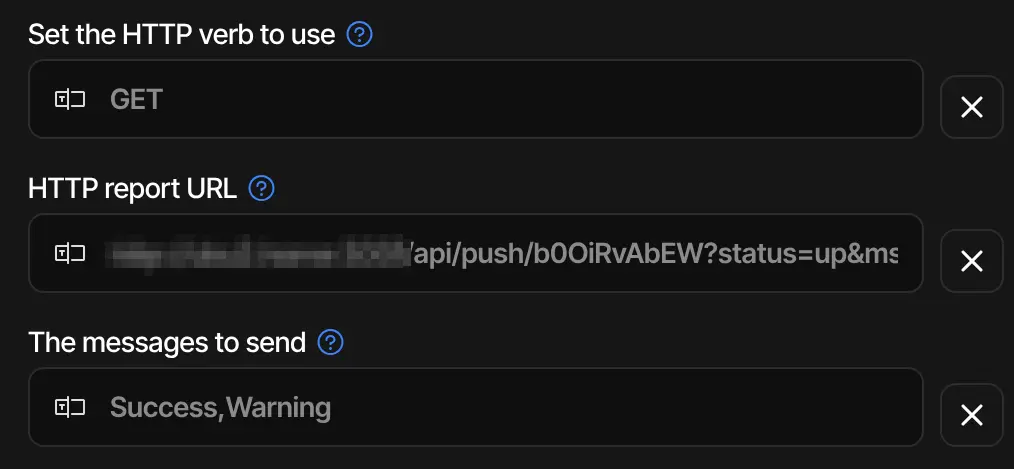
It is incredibly tempting to set the HTTP level to All or Fatal,Error. Do not do this! Remember how a Dead Man's Switch works. If the backup fails, we want Duplicati to stay completely silent so Uptime Kuma's timer runs out and triggers the alarm.
Because we hardcoded ?status=up into our URL, if you tell Duplicati to send an HTTP request on an Error, your failed backup will ping Uptime Kuma and say, "Status is Up!" Kuma will happily reset the timer, and you will be right back where you started. By restricting the level strictly to Success,Warning, we guarantee that the signal is only sent when your backup is actually safe.
Uptime Kuma Status Page
One of the best features of Uptime Kuma is the ability to create status pages. Here's an example of a Backup Status Page capturing the status of all my backups:
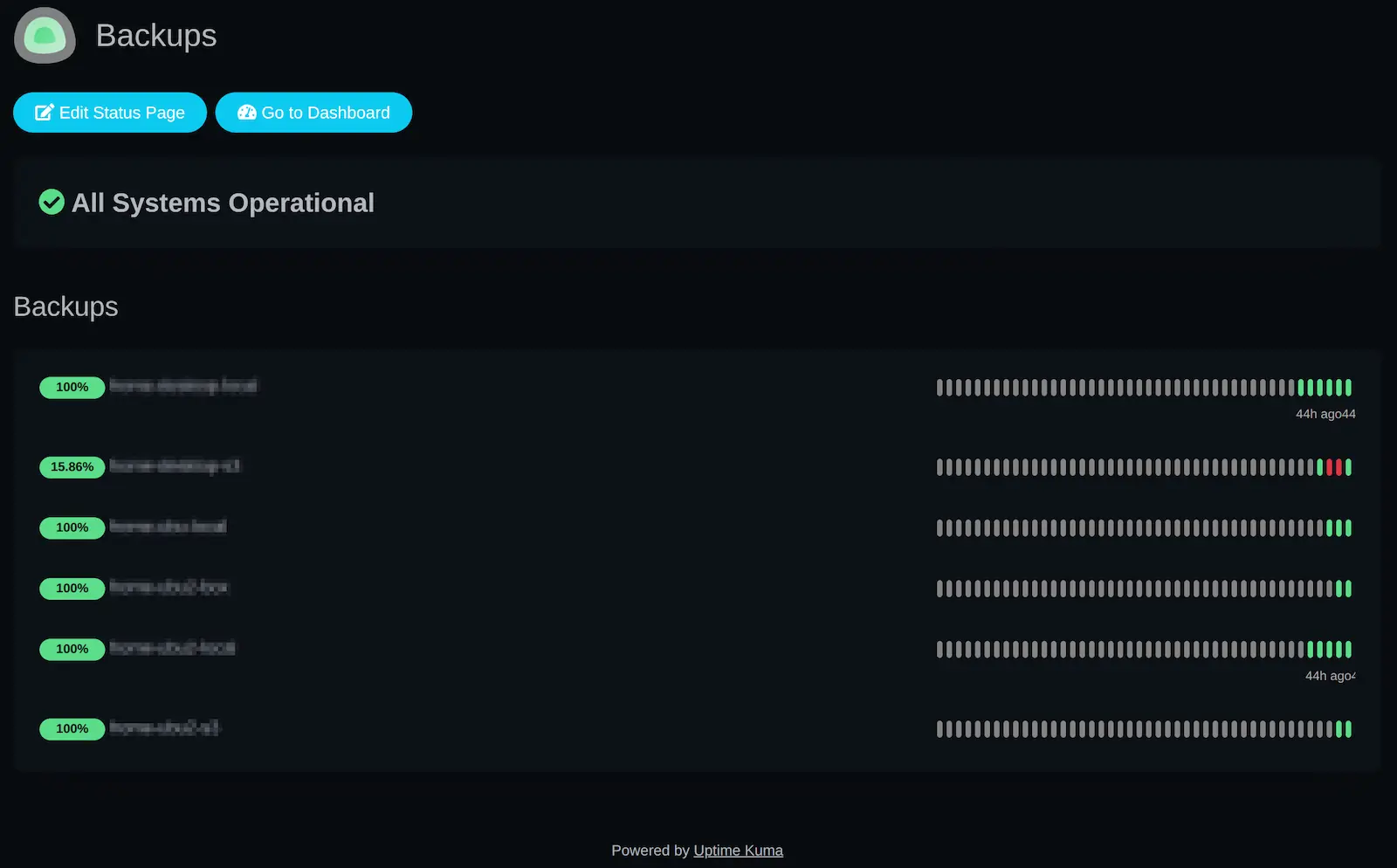
Now if I'm ever especially curious about the status of my backups, I can simply take a quick glance.
Trusting the Silence
By pairing Duplicati’s built-in HTTP reporting with Uptime Kuma’s Push Monitors, we have successfully cured "Schrödinger’s Backup." You no longer have to worry about notification fatigue blinding you to a real disaster. You have built a true Dead Man's Switch - he conductor’s hand is firmly on the lever, and if your backup server ever loses power, drops its internet connection, or simply freezes, Uptime Kuma will sound the alarm.